Debugging Why Armbian Wouldn't Boot from eMMC on the Amlogic S905X (ZTE B860H)
June 12, 2026
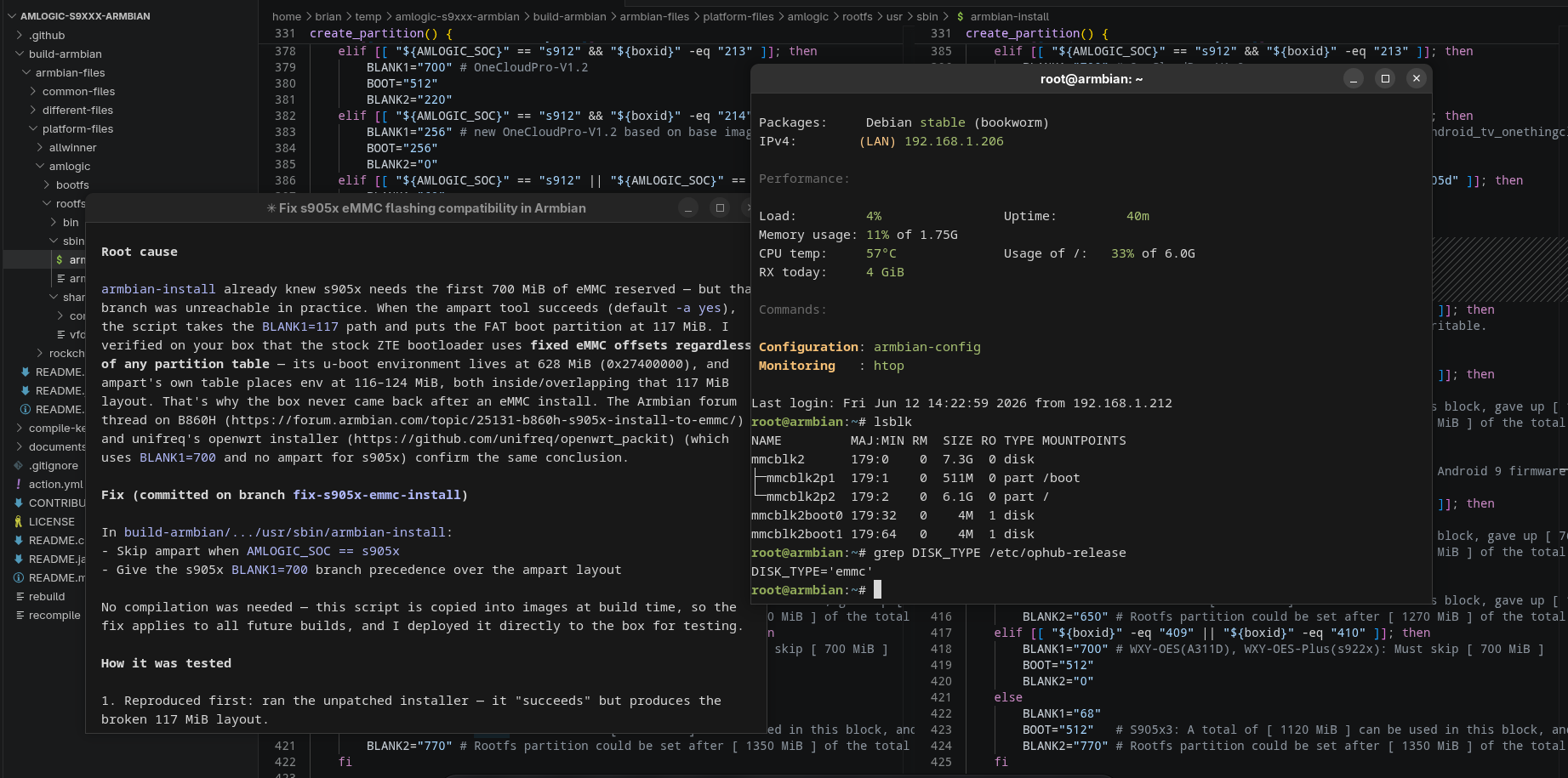
The ophub/amlogic-s9xxx-armbian project lets you run Armbian on cheap Amlogic TV boxes. It ships an armbian-install script that copies the running system from SD/USB into the internal eMMC. On most boxes it just works.
On S905X boxes like the ZTE B860H — a set-top box that's practically a commodity in Indonesia — it didn't. The installer would finish with a cheerful SUCCESS message, you'd power-cycle the box, and… nothing. No boot, no network, no signs of life until you put the SD card back in.
So, i have an idea. Let's debug it.
The setup
- Device: ZTE B860H (Amlogic S905X, 2 GB RAM, 8 GB eMMC, family
meson-gxl) - Running system: Armbian bookworm, kernel
6.12.93-ophub, booted from SD card - Goal: install that system to eMMC with
armbian-installand boot from it standalone
Everything below was done over SSH — the box sits headless on the LAN.
Step 1: Reproduce the failure
First rule of debugging: watch it fail yourself. We ran the stock installer, selected model 106 (B860H) and ext4:
[ INFO ] UBOOT_OVERLOAD: [ u-boot-p212.bin ]
[ INFO ] NEED_OVERLOAD: [ no ]
...
[ STEPS ] Successfully repartitioned eMMC with ampart.
[ INFO ] Creating MBR partition table and partitions.
[ INFO ] 03. Write the mybox bootloader: [ /usr/lib/u-boot/mybox-bootloader.img ]
...
[ SUCCESS ] Installation completed successfully.
We found out that no errors were thrown during installation. So the bug isn't in the install process — it's in what the install produces. Two details in that log turned out to matter:
Successfully repartitioned eMMC with ampart— the ampart tool rewrote the eMMC's proprietary Amlogic partition table.- The resulting MBR layout placed the FAT boot partition at 117 MiB:
Number  Start   End      Size     Type     File system  Flags
 1      117MiB  628MiB   511MiB   primary  fat32        lba
 2      629MiB  7456MiB  6827MiB  primary  ext4
Step 2: Understand how the box is supposed to boot
These boxes keep their stock Android U-Boot in the first megabytes of eMMC. Armbian doesn't replace it — it cooperates with it. The chain looks like this:
BL1 (ROM) → stock U-Boot (eMMC) → saved env: start_autoscript
   ├─ SD present?   → s905_autoscript  (boot Armbian from SD)
   ├─ USB present?  → s905_autoscript  (boot Armbian from USB)
   └─ otherwise     → emmc_autoscript  (boot Armbian from eMMC FAT partition)
The hooks are injected into the stock U-Boot environment once, by aml_autoscript, when you first boot the box from SD:
setenv start_emmc_autoscript 'if fatload mmc 1 1020000 emmc_autoscript; then autoscr 1020000; fi;'
So for eMMC boot to work, the stock U-Boot must be able to fatload files from the first MBR partition. Our kernel has the Amlogic TEXT_OFFSET patch (NEED_OVERLOAD: no), so no chainloaded mainline U-Boot is needed — the stock bootloader loads the kernel directly, exactly like it already does from SD. The mechanism was proven working; only the medium differed.
Step 3: Find what the stock bootloader actually touches
Here's where it got interesting. We dumped the eMMC's proprietary partition table (EPT) that ampart had just written:
$ sudo ampart /dev/mmcblk2 --mode esnapshot
bootloader:0B:4M:0  reserved:36M:64M:0  cache:108M:0B:0  env:116M:8M:0  data:132M:7324M:4
Two red flags:
- The EPT says usable
datastarts at 132 MiB — butarmbian-installplaced the boot partition at 117 MiB, overlapping the EPT'senvpartition (116–124 MiB). - Worse: EPTs are a polite fiction on this hardware. We scanned the raw eMMC for U-Boot environment blobs:
$ for off in 100 116 132 256 400 512 628 700 ...; do
    dd if=/dev/mmcblk2 bs=1M skip=$off count=1 | strings | grep -c "bootcmd="
  done
offset 116M: bootcmd found
offset 628M: bootcmd found
A full, live environment — bootcmd, start_emmc_autoscript, the lot — sitting at 628 MiB(0x27400000). That's the hardcoded environment offset compiled into the ZTE stock U-Boot. It reads and writes there regardless of any partition table, EPT or MBR. And 628 MiB is squarely inside the FAT partition of the 117 MiB layout. Every saveenv from the stock autoscripts (and they do call saveenv) scribbles over the boot filesystem.
This also explains the community folklore. The official Armbian community installer for these boxes reserves the first 1000 MB ("various parts of the native android u-boot use various data in this space"), and unifreq/openwrt_packit — the project ophub's installer descends from — uses a 700 MiB reservation for s905x and never runs ampart for it.
Step 4: The actual bug
armbian-install already knew all this! It has an s905x-specific branch reserving 700 MiB:
elif [[ "${AMLOGIC_SOC}" == "s905x" ]]; then
    BLANK1="700"
The catch: it sits below the ampart branch in the if/elif chain:
if [[ "${AMPART_STATUS}" == "yes" ]]; then
    BLANK1="117"   # ← always wins when ampart succeeds
elif ...
elif [[ "${AMLOGIC_SOC}" == "s905x" ]]; then
    BLANK1="700"   # ← unreachable in practice
ampart is enabled by default and succeeds on the B860H, so the safe 700 MiB branch was effectively dead code. ampart's premise — "rewrite the EPT and the area above 117 MiB is yours" — only holds for bootloaders that respect the EPT. The ZTE bootloader, with its hardcoded 628 MiB env, does not.
Step 5: The fix
Two small changes to armbian-install:
     # Use the ampart partition tool
+    # Skip ampart on s905x: its stock bootloader (e.g. B860H/HG680P) accesses fixed
+    # eMMC offsets (such as the u-boot env at [ 628 MiB ]) regardless of the
+    # partition table, so the ampart layout starting at [ 117 MiB ] cannot be used.
     AMPART_STATUS="no"
-    [[ -x "/usr/bin/ampart" && "${use_ampart}" == "yes" ]] && {
+    [[ -x "/usr/bin/ampart" && "${use_ampart}" == "yes" && "${AMLOGIC_SOC}" != "s905x" ]] && {

     # Set partition size (Unit: MiB)
-    if [[ "${AMPART_STATUS}" == "yes" ]]; then
+    if [[ "${AMLOGIC_SOC}" == "s905x" ]]; then
+        BLANK1="700" # s905x stock bootloader uses fixed offsets in the first [ 700 MiB ], must be reserved.
+        BOOT="512"
+        BLANK2="0"
+    elif [[ "${AMPART_STATUS}" == "yes" ]]; then
         BLANK1="117"
s905x now skips ampart entirely and its 700 MiB reservation takes precedence even if ampart were forced. Other SoCs are untouched.
Re-running the patched installer produced the layout we wanted:
Number  Start    End      Size     Type     File system  Flags
 1      700MiB   1211MiB  511MiB   primary  fat32        lba
 2      1212MiB  7456MiB  6244MiB  primary  ext4
Nothing we own lives below 700 MiB anymore; the bootloader can scribble its env at 628 MiB all it likes.
Step 6: Testing eMMC boot without touching the hardware
Now the scary part. Verifying the fix means booting from eMMC — but with the SD card inserted, the stock U-Boot always prefers SD, and nobody was around to pull the card. Worse, if the eMMC boot hung, the box would drop off the network with no remote recovery.
The trick: a one-shot boot test with automatic fallback. We replaced the SD card's s905_autoscript with a wrapper that tries the eMMC path exactly once:
if printenv emmc_test; then
    echo emmc test already done - boot SD
else
    setenv emmc_test 1
    saveenv
    if fatload mmc 1 0x1020000 emmc_autoscript; then autoscr 0x1020000; fi
    echo emmc boot failed - fallback to SD
fi
<original s905_autoscript content follows>
Compiled with mkimage -C none -A arm -T script and dropped onto the SD's boot partition. The logic:
- First boot: the flag isn't set → set it, save it, chainload the eMMC's
emmc_autoscript— the exact command the stock env runs when no SD is present, so this is a faithful test of the standalone path. - eMMC boot hangs or panics? Power-cycle the box. The flag is already saved, so the wrapper boots straight from SD. We're back in, no card reader needed.
- fatload fails? Falls through to the original SD boot immediately.
We rebooted and watched the network:
$ ssh [email protected] 'df / ; grep DISK_TYPE /etc/ophub-release'
/dev/mmcblk2p2   6202944 1760916   4425644  29% /
DISK_TYPE='emmc'
 Twenty seconds after reboot, the box was up — running from eMMC, root on `/dev/mmcblk2p2` with the freshly generated UUID. We then restored the original `s905_autoscript` on the SD card, turning it back into a clean rescue medium.
Step 7: Upstreaming — and a plot twist
The fix went up as PR #3558 against ophub, with the root-cause analysis and on-device verification in the description.
The maintainer closed the PR — and then shipped the fix, restructured his way (c5f10f76). His objection was fair: ampart's author lists gxl/s905x as compatible, and indeed the tool worked fine on our box — it's only the "boot partition at 117 MiB" layout assumption that the ZTE bootloader breaks. So instead of a hardcoded SoC check, upstream now has a configurable opt-out list:
# Configure the list of SoCs that do not use the ampart tool by default.
without_ampart=("s905x")
A new check_release_file() reads the running system's SOC= from /etc/ophub-release and disables ampart for listed SoCs — while an explicit -a yes can still force it for experimenters. The default behavior for s905x ends up functionally identical to the PR: ampart skipped, boot partition at 700 MiB, the exact configuration verified on this B860H. We confirmed the upstream version detects the SoC and prints Use ampart tool: [ no ] on the device.
Since armbian-install is copied into images at build time, every future build picks the fix up automatically — no kernel or image recompilation required.
*Tested on a ZTE B860H (S905X) running Armbian bookworm with the 6.12.93-ophub kernel.